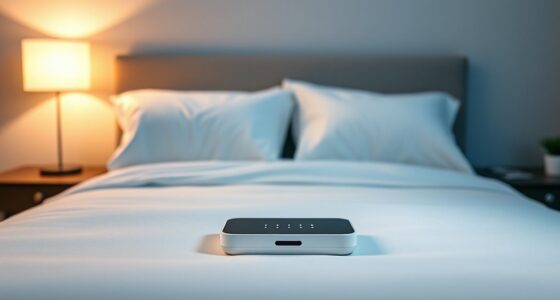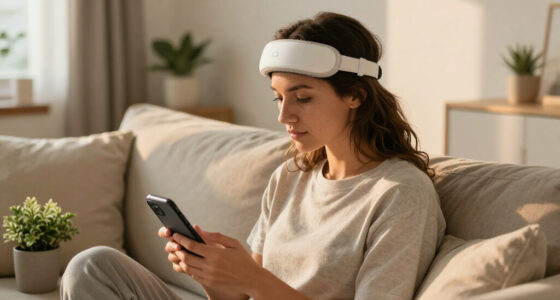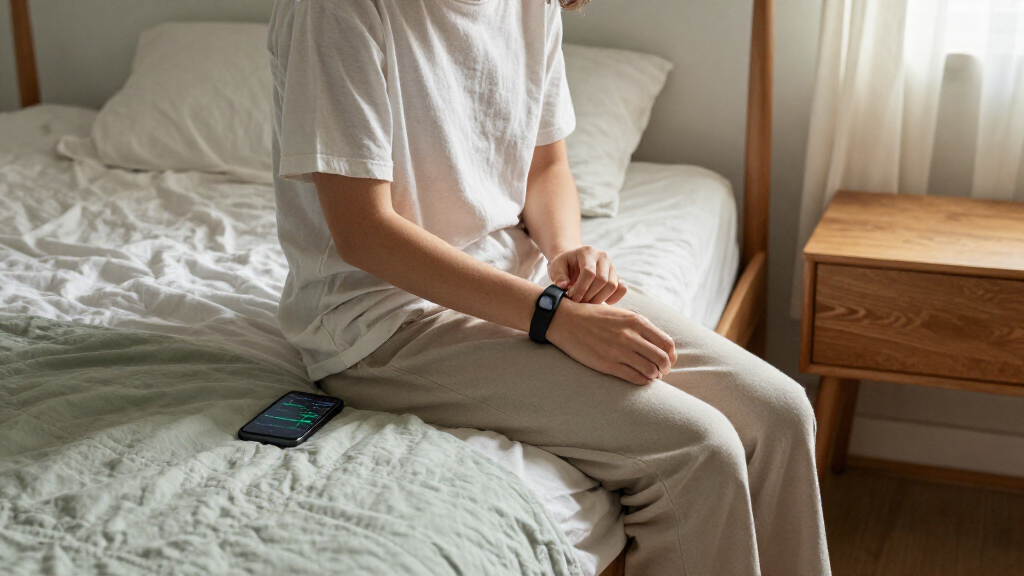

Set up a smart sleep tracker, wear it correctly, and review its readings alongside how rested you feel. This guide is for beginners choosing or already using a smartwatch, ring, wristband, or bedside tracker. Setup takes about 30–60 minutes; allow 1–2 weeks of regular use before drawing conclusions from patterns.

Get wellness gear delivered free with Prime
- Fast, free delivery on millions of items
- Prime Video, Amazon Music and more included
- Member-only deals all year

Google Fitbit Air – Screenless Activity Tracker, Obsidian
- ✔ Wearable type: Screenless activity tracker band
- ✔ Fit: One size; adjustable for 130–210 mm
- ✔ Battery claim: Up to 7 days; product specifications also state 5-day average

Women Men Smart Ring Health Tracker, Sleep Exercise Health Monitoring Wearable Device, IP68 Waterproof, iOS/Android Compatible, N…
- ✔ Wearable type: Smart ring
- ✔ Listed size: Size 8; seller advises measuring circumference
- ✔ Battery claim: 2–3 days; over 5 days with charging case

Smart Ring, Ultra-Light Health Wearable Ring with Charging Case, Sleep & Fitness Tracker, IP68 Waterproof, No Subscription, Compa…
- ✔ Wearable type: Smart ring
- ✔ Listed size: Size 8; seller advises measuring circumference
- ✔ Battery claim: 2–3 days; over 5 days with charging case
Difficulty: Beginner | Time: 30–60 minutes for setup, then 1–2 weeks of nightly use for a useful pattern
What You’ll Need
Tools & Materials:
- A smart sleep tracker and its charger, if required
- A compatible smartphone or tablet
- The tracker’s companion app and account
Knowledge:
- Basic ability to install an app, pair a Bluetooth device, and change device settings
Check that your phone supports the tracker’s app and operating system. Read the manufacturer’s fit, charging, cleaning, and water-resistance instructions. Sleep trackers estimate sleep from movement and other signals; they do not diagnose sleep disorders.
Google Fitbit Air – Screenless Activity Tracker, Obsidian
For buyers who want sleep tracking in a wearable designed to stay on through the night, Fitbit Air is the strongest all-around fit in this group. Its screenless, micro-adjustable band is meant to be worn across sleep, work, and exercise, so there is no display to light up or distract you overnight. The listing also names more sensors than either ring description: optical heart rate, skin-temperature variation, oxygen-saturation monitoring, an accelerometer, and a gyroscope. That gives us a clearer picture of the data inputs, although the listing does not explain how sleep reports are displayed or how they compare with clinical measurements.Compared with the BIEMHA and prxxhri rings, Fitbit Air has more concrete compatibility information and a longer stated battery window: up to seven days, with a separate battery specification listing five days on average. Fast charging is also described as providing a day of battery in five minutes, which can help reduce gaps in tracking. The tradeoff is that this is a wrist band rather than a ring, and the Google Health Premium coaching feature requires a separate membership after its trial. Buyers focused on sleep data should verify which app insights are included without Premium.The 50-meter water-resistance claim and phone-assisted GPS make it more versatile beyond bedtime, but those details matter less than comfort and consistent overnight wear for this roundup. We rank it first because its sleep-ready design and documentation are more complete, not because the listing proves that its sleep measurements are more accurate than the rings’.
Pros:
- Screenless, micro-adjustable band is designed for day-and-night wear.
- Lists heart-rate, temperature-variation, and SpO2 sensors alongside motion sensors.
- States up to seven days of battery life and fast charging.
- Specifies compatibility with Android 11+ and iOS 16.4+.
Cons:
- The listing gives both up-to-seven-day and five-day-average battery figures.
- Personalized Google Health Premium coaching requires a separate membership.
- Sleep-report details and measurement accuracy are not explained in the supplied information.
Best for: Buyers who prefer an adjustable wrist band, want a screenless wearable for overnight use, and value clearly stated sensor and phone-compatibility details.
Not ideal for: People who strongly prefer a ring, want built-in GPS, or want all personalized coaching without checking whether it requires a paid Premium membership.
Bottom line: Fitbit Air is our best overall pick because it combines a screenless sleep-ready band with the clearest sensor and compatibility details in this lineup.
“Fitbit Air is our best overall pick because it combines a screenless sleep-ready band with the clearest sensor and compatibility details in this lineup.”
Women Men Smart Ring Health Tracker, Sleep Exercise Health Monitoring Wearable Device, IP68 Waterproof, iOS/Android Compatible, N…
The BIEMHA ring suits buyers who want a finger-worn tracker without an app subscription and are comfortable treating its feature claims cautiously. Its description says it tracks sleep and daily activity, and it specifies heart-rate measurements every 30 minutes. That interval is useful context: it is a concrete cadence, but it is not the same as continuous heart-rate tracking. By comparison, Fitbit Air names an optical heart-rate sensor but does not give a measurement interval in the supplied listing.BIEMHA’s ring format may feel less like wearing a watch or band to bed, though fit is a more consequential decision than with an adjustable strap. The seller specifically recommends measuring finger circumference against its size chart. The product description claims two to three days of battery from the ring and more than five days with the smart charging case, while the title refers to five-day battery life. Buyers should confirm what the case contributes and what is included. Fitbit Air provides a simpler stated charging picture, with up to a week claimed and fast charging, while its listing is more detailed about phone operating-system requirements.The central drawback is uncertainty: the listing calls sleep data accurate but does not describe sleep stages, reports, or how the app turns measurements into usable guidance. It also gives an 80-meter water-depth claim while the product information lists IP68, so we would confirm the manufacturer’s care guidance before swimming. This is the ring to consider when avoiding a subscription and getting an explicit heart-rate interval matter most; it is not the clearest choice for buyers who want a well-documented sleep-analysis experience.
Pros:
- Ring format offers an alternative to wearing a wrist band overnight.
- Listing states heart-rate checks every 30 minutes.
- Advertises sleep and activity tracking without an app subscription.
- Charging case is said to extend use beyond five days.
Cons:
- Ring battery is stated as two to three days without the case.
- Sleep stages, app reporting, and accuracy methods are not described.
- Requires careful finger measurement, and water-resistance details should be confirmed.
Best for: Buyers who prefer a ring over a band, want the listing’s stated no-subscription access, and value a specified heart-rate measurement interval.
Not ideal for: Anyone who needs detailed sleep-stage or app explanations, dislikes checking ring sizing carefully, or expects continuous heart-rate measurement.
Bottom line: BIEMHA is the more clearly specified of the two ring listings, but buyers should verify fit, app details, and charging-case inclusions before relying on it for nightly tracking.
“BIEMHA is the more clearly specified of the two ring listings, but buyers should verify fit, app details, and charging-case inclusions before relying on it for nightly tracking.”
Smart Ring, Ultra-Light Health Wearable Ring with Charging Case, Sleep & Fitness Tracker, IP68 Waterproof, No Subscription, Compa…
The prxxhri ring is aimed at much the same buyer as BIEMHA: someone who wants a small, screen-free wearable and does not want an app subscription. Its description repeats the core promises of sleep and fitness tracking, a charging case, two-to-three-day ring battery, and use beyond five days with the case. It also makes the same heart-rate-every-30-minutes and 80-meter water-resistance claims. There is little supplied evidence to separate its monitoring from BIEMHA’s, so the choice between them should come down to confirmed sizing, app experience, included accessories, and seller support.Against Fitbit Air, the ring’s main appeal is its form: it avoids a wrist-worn band and has no display. But Fitbit is easier to evaluate from the listing, which identifies sensor types, supported phone versions, and a fast-charge claim. The prxxhri listing says it works with iOS and Android, but it does not provide operating-system versions or much detail about the companion app. Nor does its use of the phrase “real-time accurate” explain what sleep metrics are available. A buyer who wants dependable comparisons across nights should look for those specifics before choosing.The ring’s listed size is 8, and the seller recommends measuring before purchase. Its product information also names Android Wear 1.0, an unusual detail for a ring listing that otherwise describes iOS and Android compatibility; we would confirm current app support rather than assume that specification is meaningful. We place it third because its stated sleep-tracking package closely mirrors BIEMHA’s while offering fewer distinguishing details. It may still fit a buyer whose sizing or app checks favor this listing, but there is no clear sleep-specific advantage in the information provided.
Pros:
- Ring format avoids a wrist band and screen.
- Claims sleep and activity monitoring with no app subscription.
- Charging case is said to extend use beyond five days.
- Description lists iOS and Android compatibility.
Cons:
- The supplied details closely duplicate BIEMHA’s, leaving few clear differentiators.
- Sleep-report features and sensor performance are not explained.
- Battery life is stated as two to three days without the case, and size must be checked.
Best for: Buyers committed to a ring form who have confirmed the size and app support and find this listing’s included charging case suitable.
Not ideal for: Shoppers looking for a clearly differentiated sleep-analysis feature, precise phone requirements, or a more fully documented sensor profile.
Bottom line: The prxxhri ring is a plausible no-subscription alternative, but its listing does not establish a sleep-tracking advantage over BIEMHA or Fitbit Air.
“The prxxhri ring is a plausible no-subscription alternative, but its listing does not establish a sleep-tracking advantage over BIEMHA or Fitbit Air.”
As an Amazon Associate we earn from qualifying purchases.
Before You Start
Protect your sleep and your data. Choose a device that feels comfortable enough to wear overnight, and review the app’s privacy settings before sharing health information or connecting other services. If a wearable irritates your skin, feels too tight, or disrupts sleep, remove it and adjust the fit or try another tracking method. Keep your usual bedtime routine during the first tracking period so the readings reflect your normal habits.
Step-by-Step Instructions
Step 1: Choose the tracking method
Select a tracker based on what you can wear or use consistently. A watch or wristband tracks from your wrist, a ring uses a finger sensor, and a bedside device may track without something worn on your body. Compare battery life, comfort, app compatibility, subscription costs, and the signals the device records. Choose a model that fits your routine rather than one with the longest feature list.
Tip:Check whether the features you want, such as detailed reports or long-term trends, require a paid subscription.
Check: You have a device that works with your phone or bedroom setup and is comfortable and practical for nightly use.
Step 2: Install the app and pair the tracker
Charge the tracker if its instructions call for it. Install the official companion app, sign in or create an account, and follow its pairing prompts. Keep Bluetooth enabled and place the device near your phone while pairing. Grant only the permissions needed for setup and the features you plan to use; you can review or change permissions later in your phone settings.
Tip:If the app asks for a firmware update, keep the tracker near the phone and follow the on-screen instructions before beginning your first night.
Check: The app shows the correct device as connected and displays its battery level or connection status.
Step 3: Set your sleep schedule and preferences
Enter your usual bedtime and wake time, including different schedules for workdays and days off if the app supports them. Set your time zone, units, and preferred sleep window. Turn on sleep tracking or automatic sleep detection if it is not enabled by default. Check alarm, notification, and sleep-mode settings so alerts do not disturb you overnight.
Tip:Use your real routine rather than a target schedule you hope to follow. You can adjust the settings after you have several nights of data.
Check: The app displays the expected sleep window and has a clear indication that overnight tracking is enabled.
Step 4: Fit or place the device for the night
Put on a wearable according to its fit instructions. A wrist tracker should sit securely without pinching or sliding; place a ring on the recommended finger and orientation. For a bedside tracker, position it where the manufacturer specifies and connect it to power if needed. Keep sensors clean and dry as directed, and avoid placing the device where bedding, pets, or other objects may block it.
Tip:Do not tighten a wearable to the point of discomfort. A poor fit can affect readings and make you less likely to wear it consistently.
Check: The wearable feels secure and comfortable, or the bedside device is powered and positioned as instructed.
Step 5: Track several nights without changing your routine
Use the tracker each night for at least one to two weeks. Follow your normal bedtime and wake routine, and charge the device at the time recommended by its manufacturer. If you must remove a wearable to charge it, choose a time that does not interrupt sleep tracking when possible. Make a brief note of unusual factors such as travel, illness, alcohol, late caffeine, or a changed work shift.
Tip:One night can be unusual, and a missed night does not invalidate the rest. Focus on repeated patterns across multiple nights.
Check: The app records readings for most nights in the period, with missed or incomplete nights identifiable in its history.
Step 6: Review the readings as estimates
Open the app’s sleep history and review total sleep time, sleep and wake times, interruptions, and any other metrics it provides. Compare the bedtime and wake-time estimates with what you remember. Treat sleep stages and scores as estimates: devices use different sensors and methods, so scores from different brands may not be comparable. Look for consistent changes over time instead of reacting to a single score.
Tip:Pair the data with a simple note about how rested you felt. A number alone cannot describe how you experienced the night.
Check: You can see a multi-night history and identify at least one pattern, such as a regular wake time or frequent late bedtimes.
Step 7: Make one practical adjustment and review again
Choose one habit that fits a pattern you have noticed, such as keeping a steadier wake time or moving a late caffeine drink earlier. Change one thing at a time and track for another week or two. Compare the new period with your earlier readings and your own sense of rest. Keep the change if it helps your routine; revise it if it does not.
Tip:A tracker cannot tell you which change caused a result when you alter several habits at once.
Check: You have a repeatable routine, a record of the adjustment, and enough subsequent nights to judge whether the pattern changed.
Common Mistakes to Avoid
- Treating a sleep score or sleep-stage estimate as a medical measurement. — Use readings to notice trends, not to diagnose a condition or judge one night as good or bad. Ask a health professional about persistent symptoms.
- Wearing the tracker too loosely or placing it incorrectly. — Follow the manufacturer’s fit and placement guidance, then check comfort and sensor contact before bed.
- Changing several sleep habits at once in response to a few readings. — Collect multiple nights first and test one manageable adjustment at a time.
- Ignoring comfort, charging, or app compatibility when choosing a device. — Check compatibility and ongoing costs, and choose a tracking method you can use regularly without disrupting sleep.
Troubleshooting
Problem: The app shows no sleep record or only a partial night.
Solution: Check that tracking is enabled, the device was connected or operating as instructed, and the battery did not run out. Review fit or placement and the app’s sleep window. Sync the device after waking; some trackers process readings after syncing.
Problem: The tracker disconnects from the phone.
Solution: Keep Bluetooth on, bring the device near the phone, and reopen the companion app. Check the app’s connection instructions and install available updates. If it still will not pair, restart both devices and repeat the manufacturer’s pairing procedure.
Problem: The readings seem inconsistent with how the night felt.
Solution: Check whether the device shifted, had low battery, or missed sensor contact. Compare several nights and note unusual circumstances. Different trackers estimate sleep differently, so do not expect exact agreement with another device.
Problem: The wearable causes discomfort or skin irritation.
Solution: Remove it. Clean and dry the device and skin as the manufacturer directs, and adjust the fit only if the irritation has cleared. Stop wearing it if irritation returns; contact the manufacturer or a health professional for advice as appropriate.
What Success Looks Like
You have a paired tracker, working overnight settings, and a comfortable fit or correct bedside placement. The app records most nights across at least one to two weeks, and you can review a multi-night pattern alongside how rested you felt. You use the information to guide a small habit adjustment rather than treating estimates as a diagnosis.
Next Steps
Keep wearing or using the tracker only if it helps and does not disturb your sleep. Review trends every week or two, clean and charge the device according to its instructions, and revisit privacy and sharing settings when connecting a new service. If poor sleep, severe daytime sleepiness, or other concerning symptoms persist, discuss them with a health professional and share tracker data as supporting context.
Frequently Asked Questions
How many nights should I track before trusting a pattern?
Start with one to two weeks of regular use. This gives you more context than a single night, though readings remain estimates and may vary with fit, device type, and routine.
Can a smart sleep tracker diagnose sleep apnea or insomnia?
No. Consumer trackers are not a substitute for clinical assessment or diagnostic testing. If you have persistent sleep problems or symptoms such as breathing pauses, discuss them with a health professional.
Should I wear the tracker every night?
Regular use makes trends easier to interpret, but comfort comes first. Remove the device if it causes pain or irritation, and follow its charging and care instructions.
Why does my tracker report different sleep stages from another device?
Trackers use different sensors and algorithms to estimate sleep stages. Their stage totals may differ even for the same night, so compare trends within one device rather than treating different brands as interchangeable.