TL;DR
Smart sleep tracking devices use signals such as movement and heart rate to estimate sleep patterns; most do not directly measure brain activity. Use them to notice trends across several nights, check those trends against how you feel, and treat stage charts and scores as estimates rather than medical results.
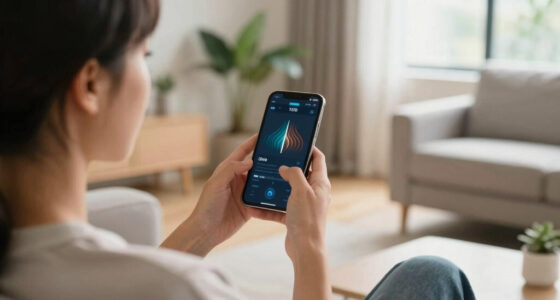
Your sleep app says you got only 18 minutes of deep sleep, yet you woke feeling clear-headed. Which should you trust? Smart sleep tracking devices can make the night seem neatly measurable, with colored charts and a score ready before breakfast. But the numbers are estimates built from signals, not a direct view of everything your brain did while you slept.

Get wellness gear delivered free with Prime
- Fast, free delivery on millions of items
- Prime Video, Amazon Music and more included
- Member-only deals all year
This guide explains what smart sleep trackers measure, what their numbers can and cannot tell you, and how to use a week of readings without letting one odd night spoil your morning. You’ll also learn how to compare device styles, protect sensitive sleep data, and recognize symptoms that call for a conversation with a healthcare professional.
The useful question is not whether your tracker can grade your sleep perfectly. It’s whether it helps you spot a pattern you can act on. Think of it as a weather app for your nights: helpful for trends, but not a substitute for looking out the window.
Smart sleep tracking devices estimate sleep using signals such as movement, heart rate, and sometimes temperature or breathing; most do not directly measure br…
Compare multi-night patterns and how rested you feel instead of treating a single sleep score or stage chart as a clinical result.
Choose a watch, ring, or bedside sensor based on comfort, routine, charging needs, and the metrics you want to view.
Review app permissions, data sharing, retention, and deletion controls before storing ongoing sleep records.
Talk with a healthcare professional about ongoing sleep difficulties, severe daytime sleepiness, loud snoring, or gasping during sleep.
What Your Sleep Tracker Measures—and What It Infers
Smart sleep tracking devices estimate when you fall asleep, wake, and move during the night by combining sensor readings with software. Many track movement and heart rate; some also use skin temperature, breathing signals, or blood oxygen readings. Most do not directly measure brain activity, so their light, deep, and REM sleep labels are interpretations rather than recordings of your brain waves.
That distinction matters because sleep stages are defined partly by patterns in brain activity, eye movement, and muscle tone. A wrist device sees only indirect clues. It may notice that you are still and your heart rate has changed, then classify that combination as a likely stage based on its algorithm. Those clues can be useful for estimating broad trends, but similar signals can occur for different reasons, so a stage label is less certain than the chart’s precise minute count may suggest. Clinical polysomnography measures brain activity along with other signals, giving clinicians a different and more complete basis for evaluating sleep.
For example, imagine you wake briefly when a delivery truck rattles the window. Your watch may record movement and a higher heart rate, then label that stretch restless. It can show that your night was interrupted; it cannot tell you with certainty what stage you were in right before the noise. The practical implication is that an interruption you also remember may be more informative than a small change in a stage estimate.
Trackers infer; they do not diagnose. Use the data to ask practical questions: Are your bedtimes drifting later? Do you wake around the same time each night? Repeated changes in sleep timing or interruptions may point to habits worth reviewing. Treat exact sleep stages as a rough map, because their uncertainty makes them a weak basis for judging whether a particular night was healthy.
Products Worth Considering

Oral-B iO Series 3 Rechargeable Electric Toothbrush for Adults, Black

Oura Ring 5 Smart Ring, Silver, Size 7

Philips Sonicare ProtectiveClean 5300 Rechargeable Electric Toothbrush with 3 Brush Heads, Black
As an affiliate, we earn on qualifying purchases.
Use Multi-Night Trends to Find Habits You Can Change
Smart sleep tracking devices are most useful when you compare several nights, because a string of readings can reveal routines that one score cannot. A single short night could follow travel, a late meal, a noisy neighbor, or an early alarm. Those one-off events can move a score without saying much about your usual sleep. A week or two may show that your sleep window shrinks every time evening work runs late, which gives you a repeatable behavior to consider changing.
Try a simple routine: check the tracker in the morning, note how rested you feel, and look for repeated patterns at the end of the week. If your bedtime shifts by an hour on weekends and your wake time stays fixed, that may be a more useful observation than a low score on Tuesday. In plain language, look for repeat behavior, then compare it with your own experience. Your notes add context the device cannot capture, such as stress, illness, or whether you felt alert despite a shorter night.
Say Maya notices that her shortest nights follow evenings when she answers messages in bed. She could try charging her phone across the room for a week, then see whether her bedtime and morning energy change. The tracker cannot prove that the phone caused the difference: workload or another change could also explain it. But keeping the experiment small and changing one routine at a time makes it easier to see whether the new habit and the pattern move together.
How to make a tracker’s trend useful:
- Choose one question, such as whether a regular bedtime changes your morning routine.
- Keep brief notes about bedtime, wake time, and how you feel.
- Compare several nights instead of reacting to one score or chart.
- Try one small change and watch for a pattern over time.
Tracking itself does not treat a sleep problem, and a pattern does not prove what caused it. Its value is that it can help you notice when a routine and your experience repeatedly line up, giving you a clearer starting point for a small, realistic change.
Compare Wearables and Bedside Trackers by Comfort
The most useful sleep tracker is one you can live with night after night, so comfort and consistency often matter more than the form factor. Wrist wearables, smart rings, watches, mattress sensors, under-mattress devices, and bedside sensors all use different combinations of signals. Their features and estimates vary, so there is no universal winner for accuracy. A device that is uncomfortable or easy to forget may leave gaps in its readings; a less obtrusive device may produce a steadier record, though it still cannot make every estimate reliable.
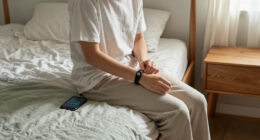
A ring may feel less noticeable than a bulky watch, but a tight fit can bother your finger. A watch might already be part of your routine, yet its strap could feel warm against your wrist on a summer night. A bedside device avoids wearing anything, which may suit someone who dislikes jewelry, but its readings can depend on placement, the bed or room setup, and which signals it can capture. The tradeoff is often between wearing comfort and the kinds of measurements or context a device can provide.
Picture Alex, who charges his watch beside his desk and forgets to put it on before bed. A simpler under-mattress sensor might give him more consistent readings. Priya, by contrast, sleeps in a watch comfortably and likes seeing overnight heart-rate trends in the same app she uses during the day. The better choice depends on fit, routine, charging needs, and which measurements you actually plan to use. If a feature will not change what you do, it may not be worth paying for or tolerating an awkward device.
| Device style | Why it may fit your routine | What to check |
|---|---|---|
| Watch or wrist band | You already wear it during the day. | Strap comfort, battery life, and fit. |
| Smart ring | You prefer a smaller wearable. | Ring size, skin comfort, and charging. |
| Bedside or mattress sensor | You would rather sleep without a wearable. | Placement, room or bed compatibility, and available signals. |
Check current product specifications before buying, since features, algorithms, and validation differ by model and can change. Consider whether the device tracks measurements you will use, how often it needs charging, and whether it fits your usual sleep setup. Whatever you choose, follow its wear guidance and stop using it if it causes skin irritation or discomfort. If you have a skin condition or another health concern, ask a healthcare professional for guidance.
Read Sleep Scores Without Letting Them Set the Mood
A low sleep score is a prompt to look at the night, not a verdict on your health or how your day will go. Companies calculate scores in different ways, so an 82 in one app may not match an 82 in another. Sleep duration, movement, heart-rate patterns, and other metrics may contribute, but the precise formula depends on the product. A score compresses several inputs into one number, which is convenient for a quick glance but hides which signal drove the result and how much weight the app assigned it.
Consumer devices can help you notice broad patterns such as consistently short sleep or irregular bedtimes. Their exact sleep-duration and sleep-stage estimates can differ from clinical measurements. That means a chart showing 12 minutes of REM sleep should not automatically overrule how you feel or convince you something is wrong. If a score repeatedly drops alongside shorter nights and daytime fatigue, the combination may be worth reflecting on; if the score is low once and you feel fine, there may be little useful action to take.
Consider a night when a new parent wakes several times to soothe a baby. The tracker may show a fragmented night, and the parent may feel tired too; those two clues fit together. Another night, a low score might conflict with a calm morning. A quick look is enough—there is no need to spend breakfast trying to explain every colored bar. The score can summarize a night, but it cannot account for every reason you feel rested or tired.
A score is a summary generated by an app, not a measurement of your worth or a diagnosis. Check whether a reading repeats, compare it with how you feel, and give one unusual night room to be unusual.
Constantly checking scores can create pressure to achieve “perfect” sleep, sometimes called orthosomnia. If tracking makes you anxious or leads you to ignore your own experience, consider hiding the score, checking less often, or pausing the tracker. That tradeoff matters: more data is only useful if it helps you make a sensible decision, rather than drawing attention toward small fluctuations you cannot meaningfully act on. The point is to support sensible habits, not to add another source of pressure to your night.
Protect Your Sleep Data and Know When to Ask for Help
Sleep data can reveal sensitive patterns about your routines and well-being, so check how an app collects, stores, and shares it before making tracking part of your nightly routine. Look for what information the company gathers, how long it keeps it, whether it shares data, and what controls you have to limit access or delete your records. The answers vary by product and settings. These details matter because ongoing records can reveal more about your habits than a single night, and sharing or retention choices affect who may have access to that history.
For example, a tracker may ask for permissions related to health data, notifications, or connections to other apps. Take a few minutes to review those settings and switch off sharing you do not need. If you stop using a service, look for account and data-deletion controls rather than assuming uninstalling the app removes stored information. A quick permissions review can also help you decide whether a feature that connects apps is worth the extra access it requests.
A tracker can flag a pattern, but it cannot reliably rule out insomnia, sleep apnea, or another medical condition. A smartwatch may offer certain readings or alerts; those results cannot diagnose or exclude sleep apnea. If you have persistent sleep difficulties, severe daytime sleepiness, loud snoring, or gasping during sleep, discuss those symptoms with a healthcare professional. Symptoms matter even when an app’s charts look reassuring, because consumer readings are not designed to replace a clinical assessment. A clinician can advise whether further evaluation is appropriate.
Use the tracker as a conversation aid. If you seek advice, bring a few weeks of sleep and wake times, a note on how you felt during the day, and any repeated symptoms. That gives you and the clinician more context than a single app score, while keeping the discussion grounded in both your experience and the device’s estimates. Keep wearing a device only if it feels comfortable and its data helps you describe what has been happening.
Frequently Asked Questions
How accurate are smart sleep tracking devices?
Accuracy varies by device and by metric. Trackers can help you spot broad patterns, such as short or irregular sleep, but exact sleep times and stage estimates may differ from clinical measurements. Use repeated trends as clues, not a diagnosis.
Can a smartwatch tell me whether I have sleep apnea?
A smartwatch may record certain signals or flag patterns, but it cannot diagnose or rule out sleep apnea. If you experience loud snoring, gasping during sleep, or severe daytime sleepiness, speak with a healthcare professional about whether evaluation is appropriate.
Are smart rings more accurate than watches?
There is no universal answer. Results depend on the product, sensor, fit, algorithm, and the metric you are checking. Choose a device that fits comfortably and that you can use consistently.
Do I need to wear a device all night?
Wearable trackers generally need to be worn during sleep to collect their readings. Bedside or under-mattress devices offer an alternative if you prefer not to wear a watch or ring, though they also have limits and use estimates.
Should I worry if my sleep score is low?
One low score alone is not a reason to assume something is wrong. Check how you feel and whether the reading forms a repeated pattern across several nights; apps calculate scores differently. If sleep difficulties or concerning symptoms persist, bring them up with a healthcare professional.
Who can see the sleep data in my app?
That depends on the device, app settings, and company practices. Review what information the app collects, whether it shares data, how long records are kept, and what options you have to limit sharing or delete your data.
Conclusion
Let your tracker help you notice a pattern, then check that pattern against how you actually feel. A bedtime that drifts later every work night may be worth a small routine change; one puzzling stage chart usually is not.
Keep the useful clues and loosen your grip on the score. Your best next step may be as simple as charging the device, closing the app, and giving yourself a calmer path to bed.